

FlickFlick 1.13 is out. If you already have it, it updates itself; if you don't, it's free for Mac and Windows. Yes, the name changed too, and there's a new logo. More on that at the end.
Stacks: rings for different parts of your day
A ring works best with six to eight slices. Past that, you start aiming instead of flicking. So people made more rings, and then cycling through five of them to reach the one they wanted got slow.
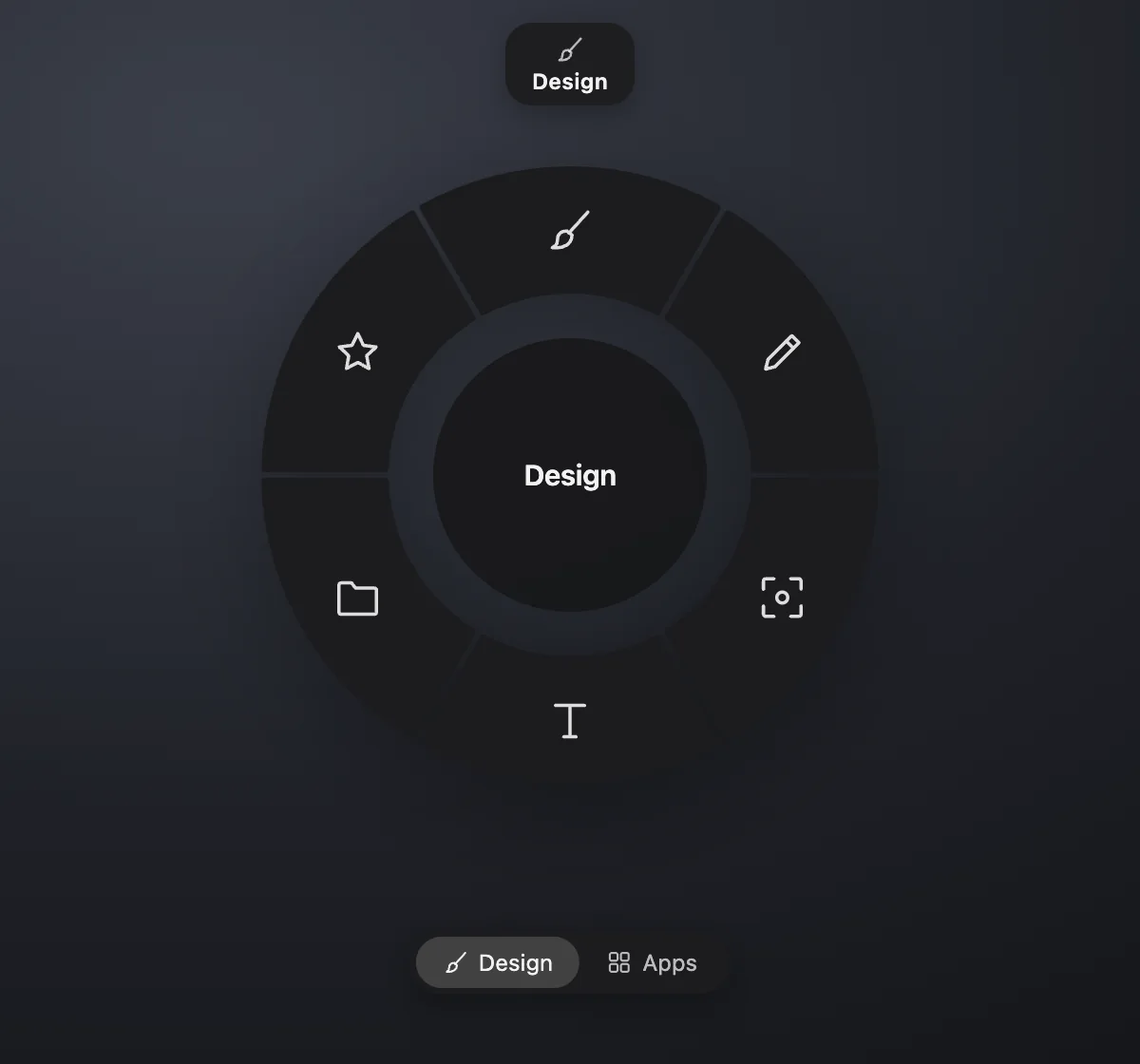
Stacks fix that. A stack is a named group of rings: Work (Home, Apps, Convert), Media (Media), Design (your Figma tools). Inside a stack nothing changes: press your shortcut again, scroll, or use ←/→ to move between its rings. To jump to another stack, press Tab (or Shift+Tab to go back). The ring deals in like a card from a deck, the stack's icon and name show for a moment above it, and you land on the ring you used last in that stack.
Set them up in Settings: the list on the left now reads Stacks → Rings. Drag rings between stacks, drag stacks into the order you want, give a stack an icon and a colour. Deleting a stack asks where its rings should go; no ring is ever deleted with it. "Next stack" and "Previous stack" are actions too, if you'd rather have a key.
If you never make a second stack, you'll never notice any of this. Tab still switches rings, exactly like before.
The media ring: a seek gauge round the record
The progress bar that used to sit under the record is now a gauge around it, open at the bottom like the one in a car.
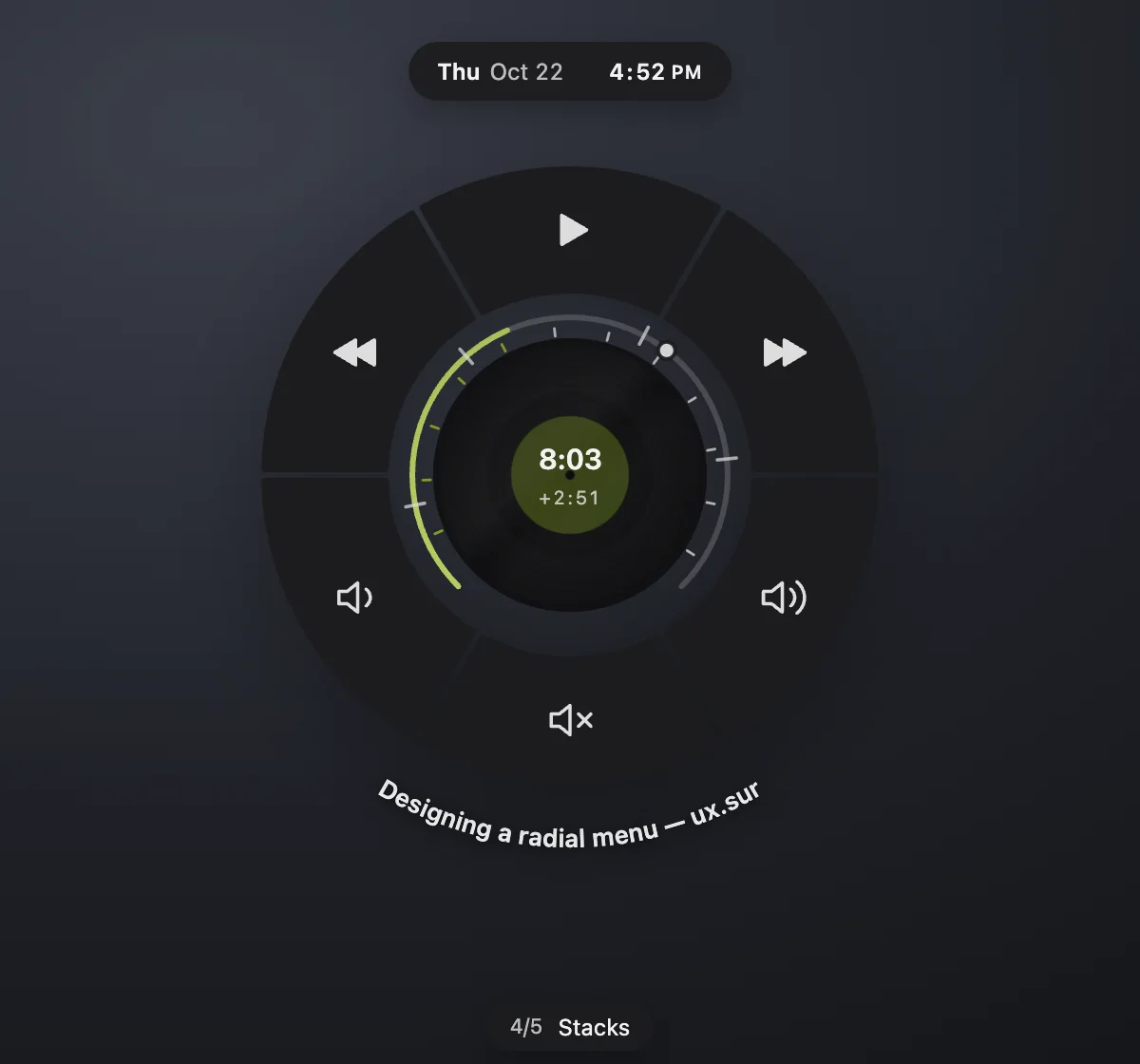
- Minute marks inside it, like a gauge's ticks. The ones still ahead are the minutes left. Every minute, or every 2, 5 or 10, or none: it's in Settings. A two-hour video gets fewer marks on its own so they stay readable.
- Point at the record and its centre shows where you are, ticking along. Point at the gauge and it shows where you'd land, and how far that is: +4:20, −0:45.
- Drag along it to seek. The record turns with your finger like a DJ's, a faint trace stays where you were while the progress snaps to the new spot, and you feel a tick at every minute mark you pass.
- YouTube chapters. When a YouTube video with chapters is playing in your browser, the chapters show as marks on the gauge, and a small pill under the ring says which one you're in: 4/8 · data loader. FlickFlick only looks this up for tabs whose title ends in "– YouTube", once per video.
- Two-finger tap on the ring plays or pauses. Next and previous spin the record off that way.
How solid the progress, the track and the marks are is yours to set too, in Settings → Seek ring.
Gestures you can see
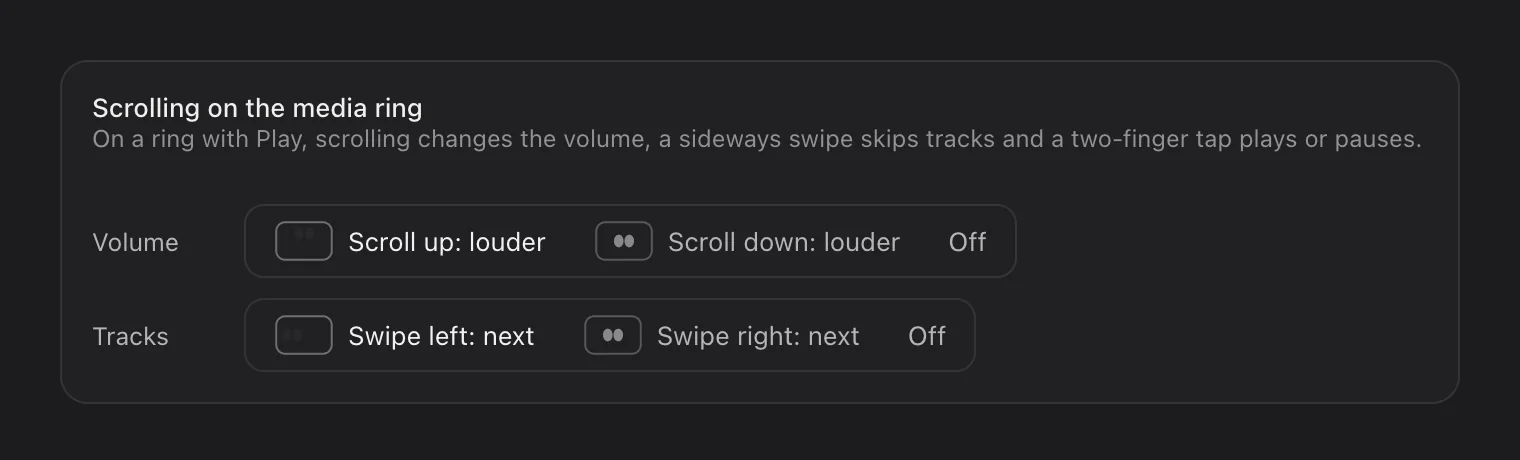
Scrolling on the media ring changes the volume, a sideways swipe skips tracks, and now a two-finger tap plays or pauses. "Swipe" alone confused people, so when you point at Next, Previous or the volume slices, a tiny trackpad with two fingertips shows the move. Mice and trackpads differ between Mac and Windows, so which way is louder and which swipe is next are settings now, and either can be switched off.
Plugins: a glance before you flick
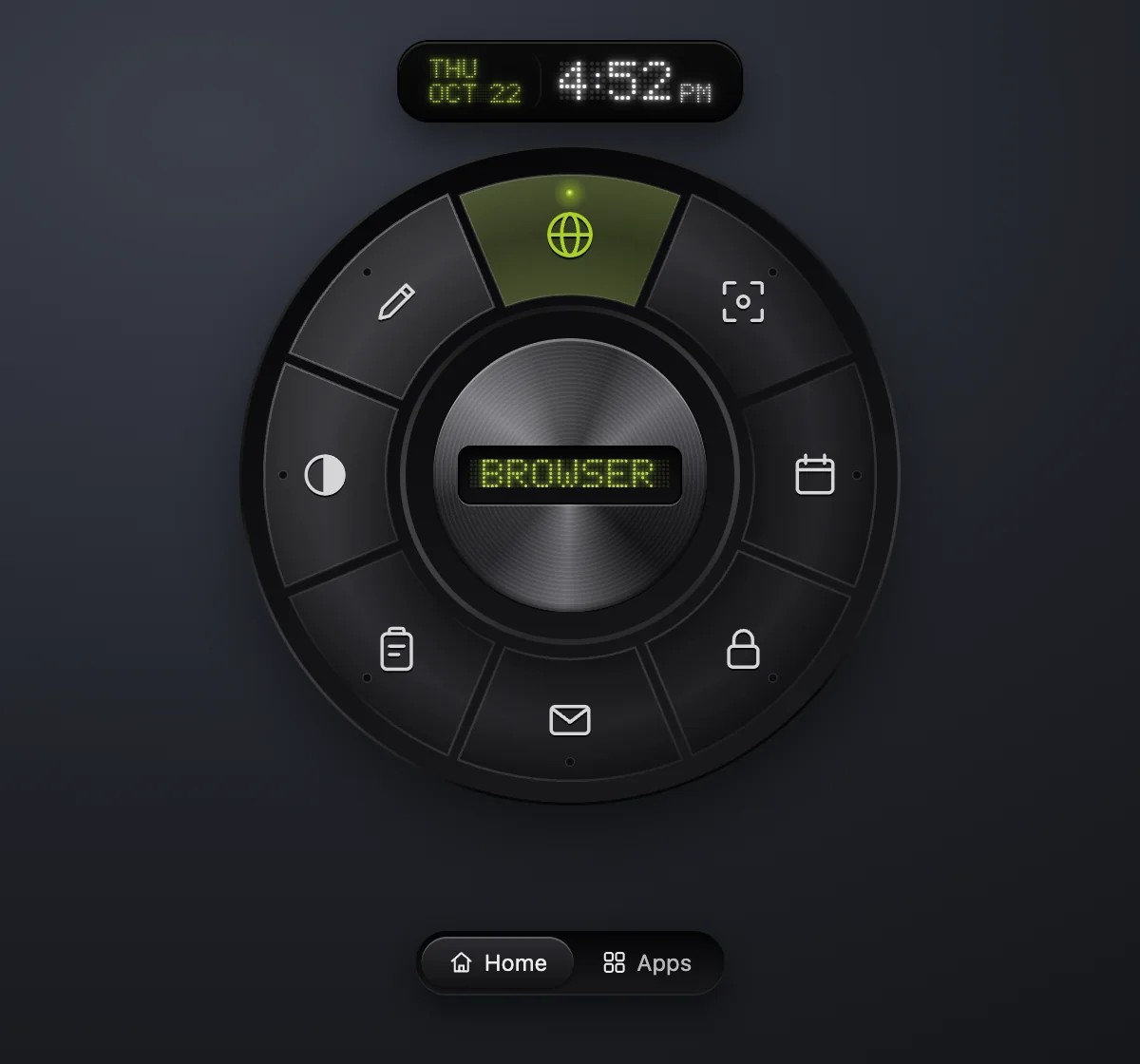
Small live cards can sit in the corners around the ring: weather, air quality (with the US AQI colour scale), stocks & crypto, and your next meeting. The date and time above the ring is a plugin now as well, so you can move it to a corner or switch it off.
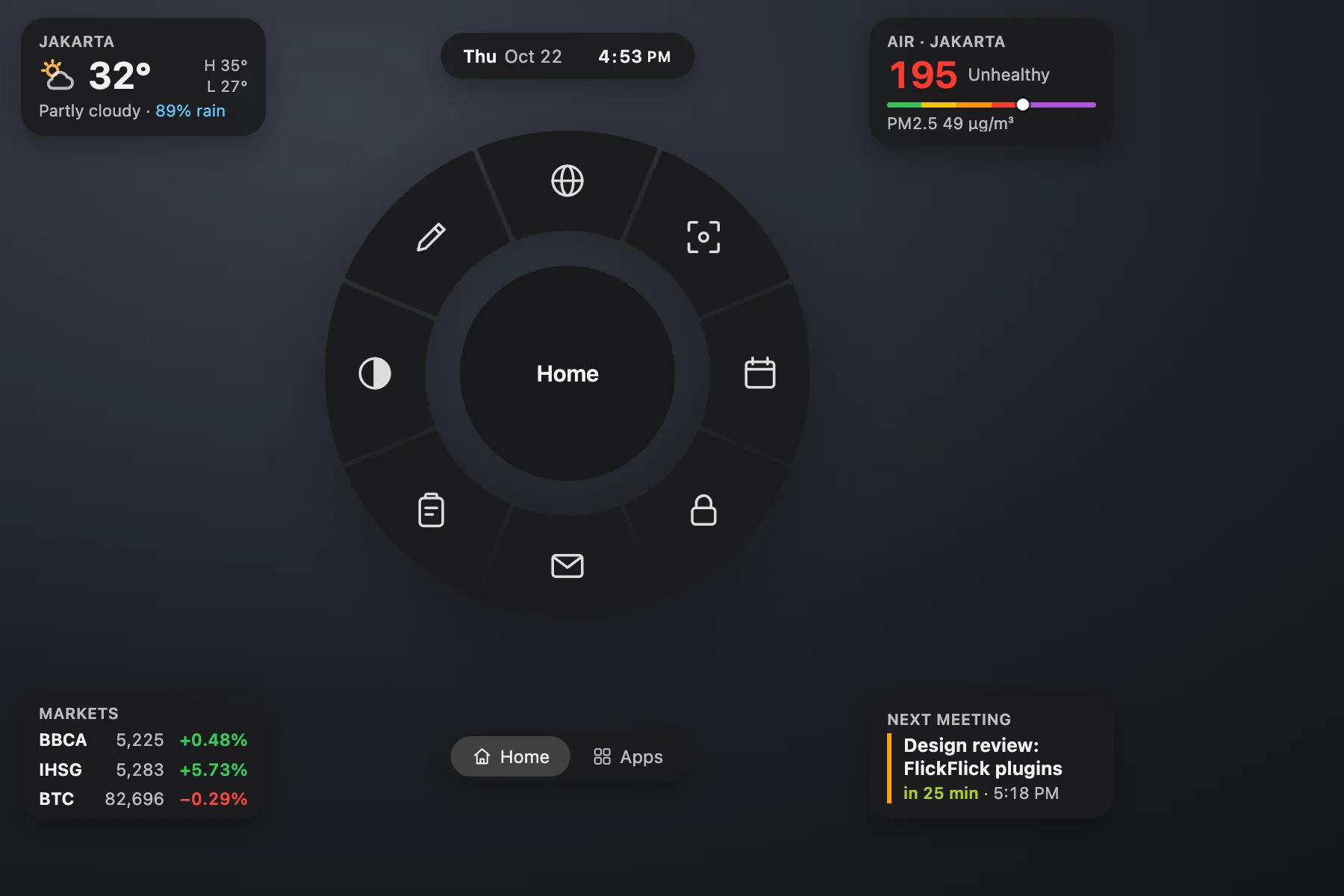
Install them in Settings → Plugins, which works like the ring editor: drag a plugin onto a corner, drag between corners to swap. Nothing is fetched for plugins you haven't added, and your calendar never leaves your Mac.
Small things
- The tabs under the ring step aside. They show while you switch rings, then fade; bring your pointer near and they fade back in.
- Colour fields read like Figma's. No "#" to type: ff is white, 0 is black, f80 is orange, and red or rebeccapurple work too.
- The Skeuomorphic style's displays are real dot-matrix LEDs: the label in the knob, the clock and the stack's name, dot by dot, with the unlit dots faintly there.
- Lime is FlickFlick's colour now, and a new accent. Earlier installs keep the accent they chose.
- Reorder rings by dragging them in the list, or with ⌥↑ / ⌥↓.
- Convert to MOV. From MP4 it's instant and lossless; from anything else you get H.264 that opens everywhere.
- Screenshots: every arrow, box, bubble and piece of text can be moved and resized after you draw it.
- Lock Screen really locks now, instead of only turning the display off.
- Settings explains itself on request. The help on Preferences and Permissions opens from the ⓘ by the title, and Permissions now says what each one is for and what happens without it.
- Dev builds ask first. Switching to the Dev channel shows what you're agreeing to, and you can go back to Stable any time.
Why "FlickFlick"
"Flick Flick" with a space kept getting split, searched as two words and typed in different ways. FlickFlick is one word, so it stays together, in Spotlight, in the Start menu and in your head.
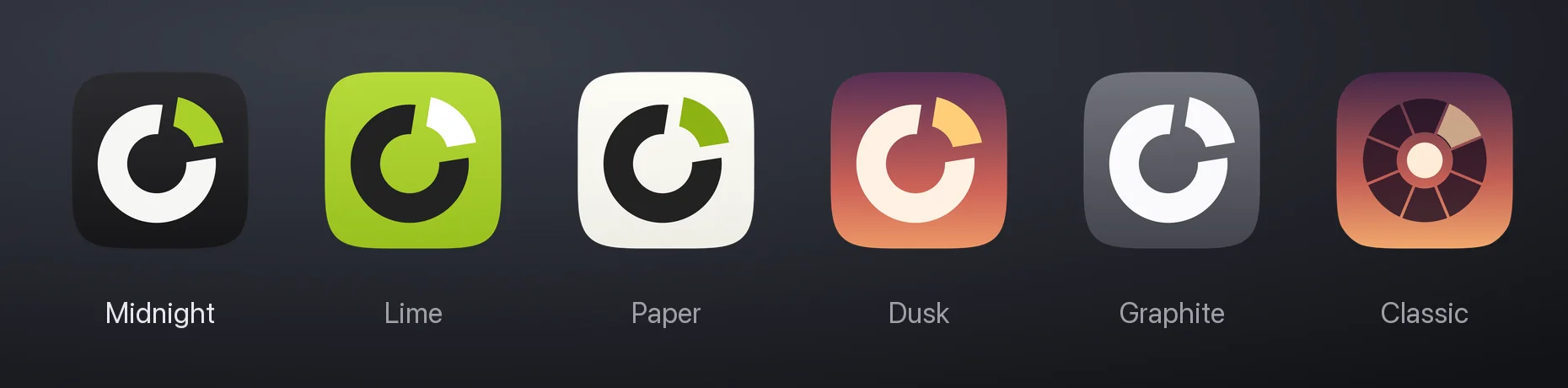
It comes with a new logo: a ring with one slice flicked out of it, in lime on midnight. If you liked the old one, or want something else in your Dock, Settings → Appearance → App icon has Midnight, Lime, Paper, Dusk, Graphite and Classic.
Nothing you set up is lost: settings, rings, snippets, plugins and clipboard history all carry over, and on a Mac the app renames itself to FlickFlick.app the first time it opens. The download files are now called FlickFlick too. Old links still work.
Get it
Download FlickFlick 1.13 for Mac or Windows →
Already have it? It updates itself, at a moment you're not using it. Ideas for 1.14? Tell me.
Comments
No comments yet. Be the first.